
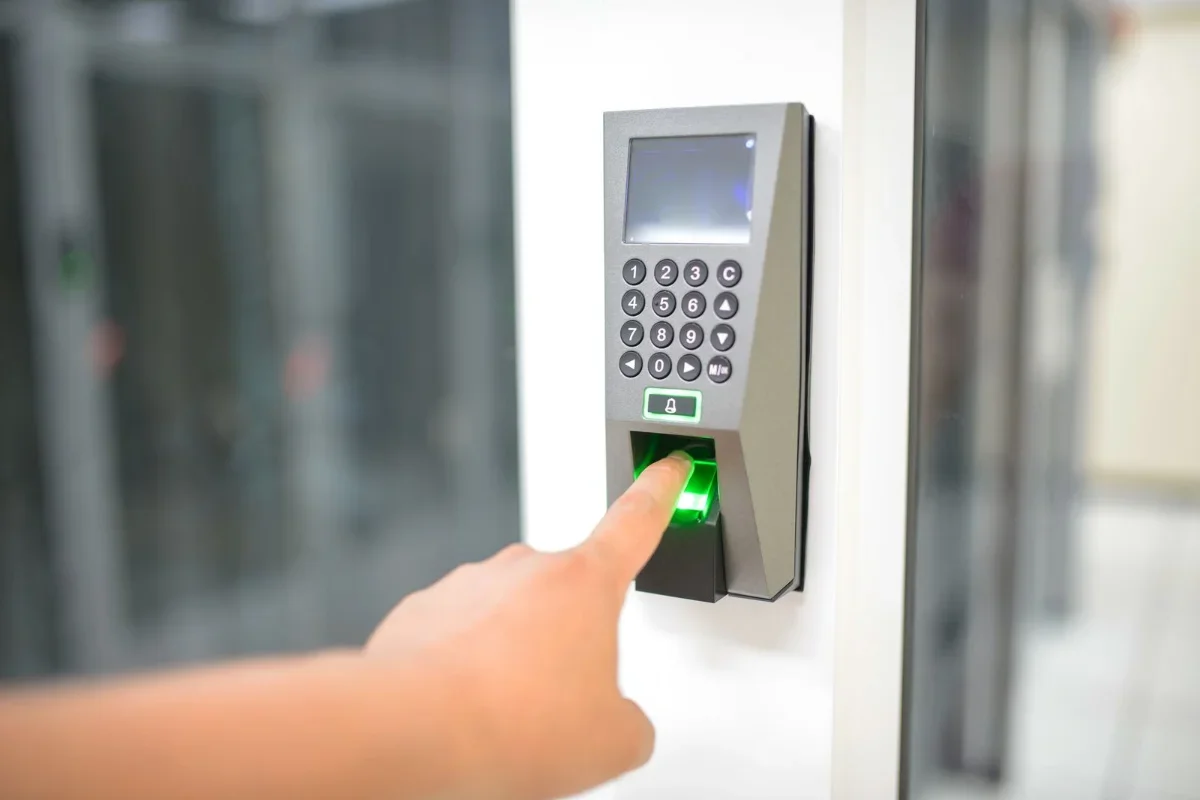
Late arrivals, early departures, colleagues signing in for absent friends ("buddy signing") and exaggerated overtime claims quietly cost Ugandan employers significant amounts of money every month. Paper registers and signing books are easy to manipulate, hard to analyse and frequently disputed. In schools, teacher absenteeism affects learning outcomes; in factories and farms with many casual workers, inaccurate records directly inflate wage bills. Biometric attendance systems use fingerprints, faces or cards to record exactly who arrived and left, and when. This guide explains how they work, the different technologies, the features to look for, how they connect to payroll and the privacy responsibilities that come with collecting biometric data in Uganda.
How biometric attendance works
The process is straightforward. First, each employee is enrolled: their fingerprint or face is scanned and linked to their staff ID in the system. Importantly, most devices store a mathematical template rather than an actual image. Each day, staff clock in and out by placing a finger on the scanner or looking at the camera. The device records the time and identity and stores the record. The records are then transferred to software, either automatically over the network or cloud, or manually by USB, where the system calculates working hours, lateness, absences, early departures and overtime according to your rules. Reports can be reviewed by HR or fed directly into payroll.
Types of attendance devices
Fingerprint scanners
The most common and affordable option. They work well in offices and schools. However, they can struggle with workers whose fingerprints are worn, cut, dirty or dry, such as construction workers, mechanics, farm workers and cleaners, leading to failed scans and queues.
Face recognition
Modern face recognition terminals are fast, touchless and hygienic, which became more attractive after the pandemic. They handle large numbers of staff quickly, work for people with worn fingerprints, and many include liveness detection to prevent people holding up photos. They are increasingly popular in schools, hospitals, factories and large offices.
Cards and tags (RFID)
Staff tap a card or key fob. These are cheap and fast but cards can be shared or lent, which defeats the purpose, so they are often combined with biometrics or used for door access rather than attendance alone.
Mobile attendance apps
For field staff, sales teams, community health workers and organisations with many small sites, mobile apps allow employees to clock in using their smartphone with GPS location verification and a selfie, without installing devices at every location.
Features to look for
- Capacity: enough storage for your number of employees, fingerprints or faces and transaction records.
- Connectivity: Ethernet, Wi-Fi or 4G for automatic syncing, rather than relying on manual USB downloads.
- Battery backup: a built-in battery or UPS so the device works during power cuts; otherwise staff cannot clock in during outages.
- Cloud software: lets HR and management view attendance across multiple branches in real time.
- Shift and roster support: handles night shifts, rotating shifts, weekend work and flexible hours, common in hospitals, hotels and factories.
- Payroll integration: exports attendance data directly to your HR and payroll software.
- Access control: some devices also unlock doors for authorised staff, combining security and attendance.
- Durability: dust and weather resistance for factories, construction sites and outdoor gates.
The benefits
Biometrics practically eliminate buddy signing, produce accurate records of lateness and overtime, save HR many hours previously spent compiling registers, and improve punctuality simply because staff know records are accurate and consistently applied. They also provide objective evidence in disciplinary matters and payroll disputes, protecting both employer and employee.
Uses beyond the office
Schools use them to track teacher attendance and, increasingly, learner attendance with SMS alerts to parents when a child is absent. Hospitals and clinics track shifts for nurses, doctors and support staff. Factories, farms and plantations manage large numbers of casual workers paid daily or weekly. Construction sites use portable or solar-powered devices to verify that workers on the payroll are actually on site.
Privacy and legal responsibilities
Biometric data is personal data, and under Uganda's Data Protection and Privacy Act, organisations must handle it lawfully and securely. Good practice includes clearly informing employees what data is collected, why and how long it will be kept; obtaining and documenting consent, ideally through your HR policy and employment contracts; storing templates securely with restricted access; deleting biometric data when employees leave, after any necessary retention period; and checking whether your organisation must register with the Personal Data Protection Office. Being transparent also improves staff acceptance of the system.
Installation tips
Mount devices at a comfortable height near entrances, protected from direct sunlight and rain, which can affect scanners and cameras. Connect them to the network by cable where possible for reliable syncing. Ensure battery backup or a UPS. Enrol each employee carefully, registering at least two fingers for fingerprint systems in case of injury. Back up attendance data regularly and review exception reports weekly.
Frequently asked questions
Can staff cheat biometric systems?
It is far harder than with paper registers. Good fingerprint sensors and face recognition with liveness detection resist most attempts.
Do biometric devices need internet?
No. They store records locally. Internet allows automatic syncing and real-time remote reporting.


