
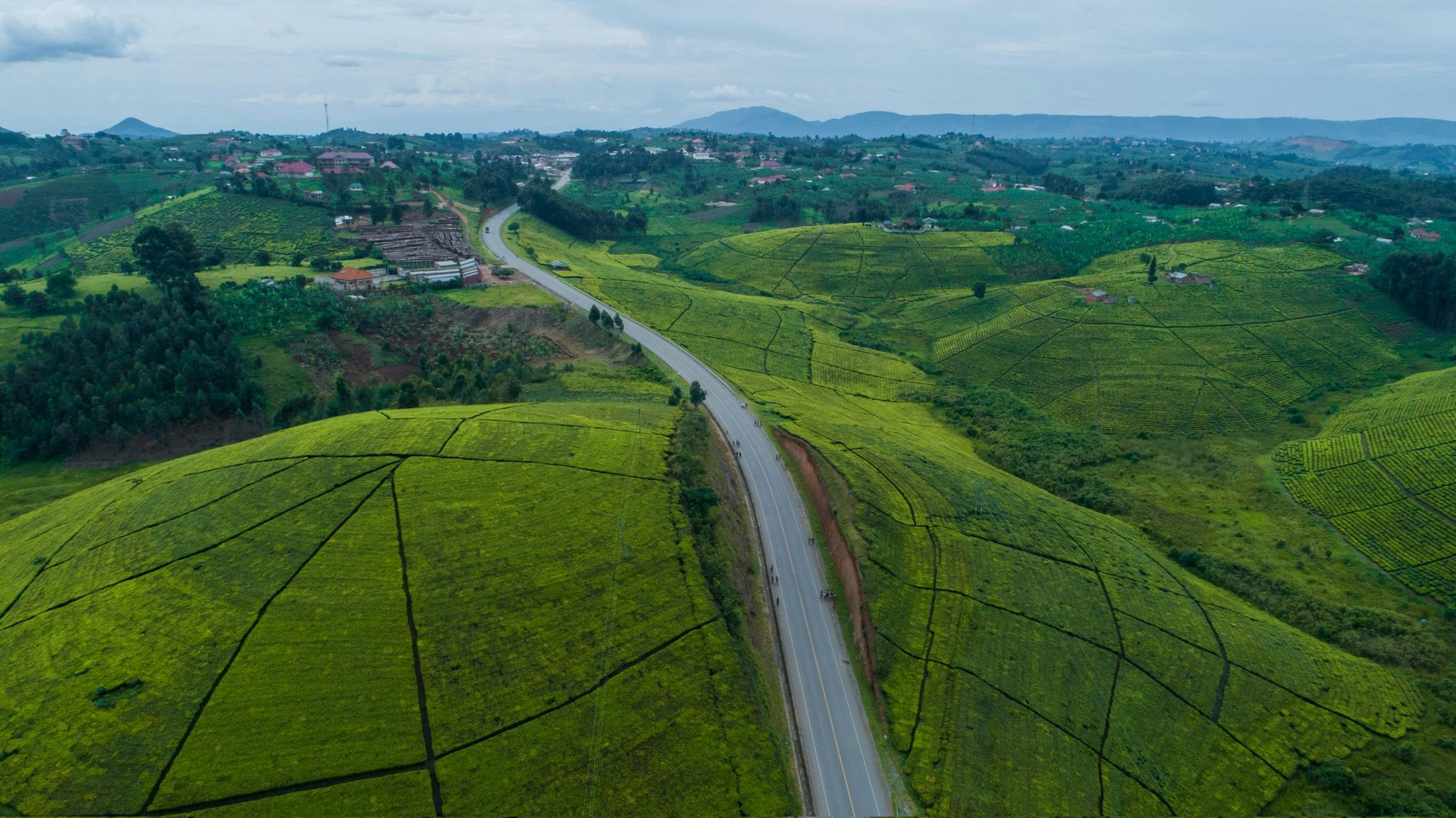
Fibre is spreading across Kampala, Entebbe and other towns, and 4G covers much of the country, yet plenty of places still struggle to get a reliable connection: a farm in Kiruhura, a lodge near a national park, a school in a remote sub-county or a mining camp in Karamoja. For many of them, satellite internet in Uganda is the option that can reach where cables and towers do not. This guide explains how it works, what to expect and who it really suits.
How satellite internet works
Satellite internet connects you to the internet through a satellite in space instead of a cable in the ground or a mobile tower nearby. The basic setup has four parts:
- A dish or terminal at your premises, mounted with a clear view of the sky.
- A modem or router inside, which turns the signal into WiFi or wired connections for your devices.
- Satellites in orbit that relay data between your dish and the ground.
- Ground stations (sometimes called gateways) connected to the internet backbone.
When you open a web page, your request travels from your dish up to a satellite, down to a ground station, out to the internet and back along the same path. Because no cable or tower is needed near you, satellite can work almost anywhere with a clear view of the sky.
Two types: geostationary and low Earth orbit
Not all satellite internet is the same. The height of the satellites makes a big difference to your experience.
Geostationary (GEO) satellites
These satellites orbit about 36,000 km above the equator and appear fixed in the sky, so the dish points in one direction. Services using them, often called VSAT in business settings, have been used in Uganda for years by banks, NGOs, schools and remote sites. Because the signal travels so far, there is a noticeable delay (latency). Browsing, email and downloads work, but video calls can feel laggy and online gaming is difficult.
Low Earth orbit (LEO) satellites
Newer services use large groups (constellations) of satellites orbiting much closer to Earth. The shorter distance means much lower latency, making video calls and real-time applications far more comfortable. The terminal tracks satellites as they pass overhead, which is handled automatically. Availability and licensing of LEO services vary by country and change over time.
Check licensing before you buy
In Uganda, communications services are regulated by the Uganda Communications Commission (UCC). Before you pay for any satellite internet service or import equipment:
- Confirm that the provider is licensed to offer services in Uganda. Check the UCC website or contact UCC directly for the current list and any public notices.
- Be careful with offers to import terminals and use services registered in another country. Using unlicensed equipment or services can lead to confiscation, disconnection or other penalties.
- Ask local providers and resellers for proof of their licence and type approval for the equipment.
Following the rules protects your investment and ensures you have local support if something goes wrong.
What to expect from performance
Satellite performance depends on the technology, the plan and local conditions. Ask the provider about these points before signing up:
- Speed: download and upload speeds offered on each plan, and whether they are guaranteed or "up to" figures.
- Latency: important if you plan video meetings, online teaching or remote control systems.
- Data allowances: whether plans are unlimited, capped, or slowed down after a certain amount of usage.
- Contention: how many users share the same capacity, which affects speeds at busy times.
- Weather: heavy rain and thick storm clouds can weaken the signal, a known effect called rain fade. In Uganda's rainy seasons, expect occasional slowdowns or brief outages during downpours, particularly on some GEO systems.
Who satellite internet suits
Satellite is a strong option for:
- Rural homes and farms beyond reliable 4G coverage and far from fibre routes.
- Lodges, camps and tour operators near parks and remote destinations, where guests expect WiFi.
- Schools and health centres in hard to reach areas, for e-learning, reporting systems and telemedicine.
- NGOs, construction sites and mining operations that need connectivity in temporary or remote locations.
- Businesses needing a backup link, so that card payments, cloud systems and email keep working if the main fibre is cut.
It may not be the best value for:
- Homes and offices in towns where fibre or strong 4G or 5G is available, which may offer better value and lower latency.
- People in rented spaces where mounting a dish is not allowed or the sky view is blocked by tall buildings.
- Very low budgets, since equipment and monthly plans can cost more than mobile data for light users. Compare current prices directly with providers.
Installation tips
A good installation makes a big difference.
- Find a clear view of the sky. Trees, water tanks and neighbouring buildings can block the signal. Many LEO terminals come with an app that checks for obstructions.
- Mount securely. Strong winds can move a dish and break the alignment. Use a solid pole or roof mount and secure cables.
- Protect against lightning and power problems. Use proper earthing and surge protection, and consider a UPS or solar backup, since many remote sites have unreliable power.
- Plan your WiFi coverage. The supplied router may not cover a whole lodge or school compound. Add mesh nodes or access points as needed.
- Secure the network. Change default passwords, use WPA2 or WPA3 encryption and create a separate guest network.
Compare satellite with other options
Before you commit, compare at least these alternatives where you are:
- Fibre: best speed and latency if it reaches you.
- 4G or 5G home routers: fast to set up and often cheaper where signal is strong. An external antenna can help in weaker areas.
- Fixed wireless: some providers beam internet from a tower to a receiver on your roof.
Test mobile signal at your site with phones on different networks at different times of day. If one network is strong, a 4G router may be enough.
Frequently asked questions
Does satellite internet work during rain?
Usually yes, but heavy rain can reduce speeds or cause brief outages. The effect varies by system and frequency band.
Can I host my website on a satellite connection?
It is not recommended. Websites should be hosted on professional servers with stable power and connectivity, while you manage them from anywhere.
Is satellite internet good for video calls?
Low Earth orbit services generally handle video calls well. Geostationary services work, but the delay can make conversations feel awkward.
Conclusion
Satellite internet brings connectivity to places that fibre and mobile networks have not yet reached, and it makes an excellent backup for businesses that cannot afford downtime. Check licensing with UCC, compare performance and costs honestly, and install it properly. Whatever connection you use, keep your website and business email on dependable hosting such as Baasa Cloud, so customers can reach you even when your own link is having a bad day.